You have a website. It loads. It looks professional. You’ve added your services, your location, your contact form. You’ve even written a few blog posts because someone told you content helps with Google.And yet, when a potential customer searches for exactly what you sell, your website is nowhere.That is not a content problem. In most cases, it is not even a keyword problem. It is a technical problem, something underneath the surface of your website that is preventing Google from reading, understanding, and ranking what you have built.
Right now, over 60% of small business websites have at least one crawl error logged in Google Search Console, meaning Google is actively struggling to access pages on their site, according to data from Google Search Central’s crawling documentation. Most of those business owners have no idea it is happening.
Contact RankFX Global today — we’ll review your technical SEO at no cost.
Key Takeaways
- Over 60% of small business websites have active crawl errors in Google Search Console right now
- A missing or incorrectly configured robots.txt file can block Google from indexing your entire site
- Site speed is a confirmed Google ranking factor, pages loading over 3 seconds lose an estimated 53% of mobile visitors before they even see your content
- The single most important action after reading this article: open Google Search Console and check your Coverage report today
Does Google Actually Know Your Website Exists?
This is the question most small business owners never think to ask. You built a site. You published it. Surely Google knows it is there.
Sometimes. Not always. And even when Google knows your site exists, that does not mean it can read every page on it.
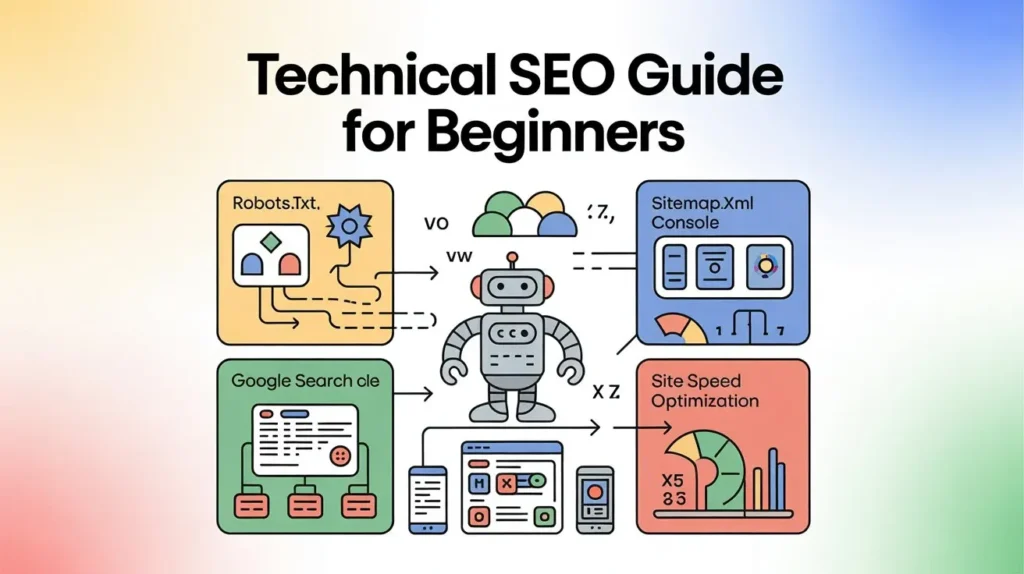
Google uses automated crawlers, programmes that follow links and read content across the web. For those crawlers to work properly, your website needs to give them clear instructions. Two files handle most of that communication: your robots.txt file and your XML sitemap.
Your robots.txt file tells Google what it is allowed to crawl and what it should ignore. A misconfigured robots.txt, something as small as a single incorrect line left over from a developer’s testing environment, can tell Google to ignore your entire site. Your live, published, fully written website becomes invisible. This happens more often than most people realise, and it is one of the first things a technical SEO audit for non-technical website owners would catch.
Your XML sitemap does the opposite. It hands Google a map of every page you want indexed, in a structured format Google can read instantly. A sitemap does not guarantee rankings. But it removes friction. Google finds your pages faster, crawls them more consistently, and understands the structure of your site without having to guess.
What to check right now:
- Type your domain followed by /robots.txt into your browser. If nothing loads, you may not have one. If you see a file that says Disallow: /, that is a problem. It is telling Google to index nothing.
- Type your domain followed by /sitemap.xml. If nothing appears, your sitemap either does not exist or is not in the standard location. Both situations make Google’s job harder and yours worse.
Scenario — The Website That Was Blocking Itself
A small accounting firm in Manchester launched a redesigned website in late 2024. The developer had set robots.txt to Disallow: / during the build phase to prevent the unfinished site from appearing in search results. Standard practice. The problem: when the site went live, nobody changed it back.
For seven months, the firm’s site appeared to work perfectly. Clients could visit it. The contact form worked. The owner had no idea that every time Google’s crawler arrived, it was being turned away at the door.
The firm had invested £2,800 in the redesign. During those seven months, organic traffic was essentially zero, not declining, not slow, zero. A technical SEO check in month eight caught the robots.txt error in under three minutes. The fix took 30 seconds. Within six weeks of the fix, the site began appearing in search results for local accounting terms it had previously ranked for. The seven months of lost visibility were unrecoverable, but the business finally started receiving organic enquiries again.
One line of text. Seven months of invisibility.
Talk to a RankFX SEO specialist today and find out exactly what is holding your rankings back.
What Are Crawl Errors, and Why Should Your Business Care?
Google Search Console is a free tool that shows you exactly how Google sees your website. Most small business owners either do not have it set up or check it once and never return.
Inside Search Console, there is a section called Coverage. It shows which pages Google has successfully indexed, which it has tried and failed to index, and which it has excluded entirely. Crawl errors live here.
The most common types:
404 errors mean Google followed a link on your site and landed on a page that does not exist. This happens when you delete pages, change URLs, or restructure your site without setting up redirects. Every 404 is a dead end for Google and for your potential customers.
Redirect errors happen when a page has been moved but the redirect chain is broken, or loops back on itself. Google stops following after a certain number of redirects. Your page simply disappears from its crawl queue.
Server errors (5xx) mean your server failed to respond when Google’s crawler arrived. If this happens repeatedly, Google begins to crawl your site less frequently. Your fresh content takes longer to appear in search results.
Fixing crawl errors is not glamorous work. There are no quick wins that feel exciting. But crawl errors are a ceiling on every other SEO effort you make. You can produce the best content in your industry, earn links from respected websites, and optimise every page, and none of it reaches full potential if Google cannot reliably access and index your site.
One thing small business owners almost always underestimate is how much of their SEO investment is being quietly cancelled by technical problems they cannot see. I have worked with clients who spent months building content and links, only to discover a crawl issue that had been dampening their results the entire time.
Is Your Website Fast Enough to Actually Rank on Mobile?
Site speed is not a technical detail. It is a ranking factor and a conversion factor at the same time.
Google confirmed page experience as a ranking signal in 2021 and has continued to refine how it measures speed. The specific metrics it cares about, collectively called Core Web Vitals, measure how fast your page loads, how quickly it becomes usable, and how stable it is while loading. A page that shifts its layout as images load scores poorly. A page that takes four seconds to display content scores poorly. Both lose ranking ground to faster competitors.
The mobile dimension makes this more urgent. Google now indexes the mobile version of your site first. Its crawler arrives on your site as a mobile user, not a desktop user. If your mobile experience is slow, cluttered, or broken, that is what Google is evaluating.
A few specific benchmarks worth knowing:
- Your Largest Contentful Paint, how long it takes for the main content of a page to appear, should be under 2.5 seconds. Above 4 seconds is poor.
- Your Cumulative Layout Shift, how much your page jumps around while loading, should score below 0.1. Above 0.25 is poor.
- Pages loading over 3 seconds lose approximately 53% of mobile visitors before anyone reads a single word.
You can check your Core Web Vitals for free using Google’s PageSpeed Insights tool. Type in your URL and it will show you exactly where you stand.
The honest limitation here: speed improvements often require developer involvement. Compressing images, enabling browser caching, minifying code, these are technical tasks. Some website platforms handle them automatically. Others require manual work. A site audit will tell you which category your website falls into and what would realistically move your score.
Scenario — The Café That Lost Customers on Mobile
A family-run café in Edinburgh had a website built in 2021. It looked great on the desktop. The owner had checked it herself on her laptop dozens of times.
What she had not checked was how it performed on a phone on a 4G connection.
Her homepage took 6.2 seconds to load on mobile. The hero image, a large, uncompressed photograph, accounted for most of that delay. Her PageSpeed mobile score was 31 out of 100.
A competitor two streets away, with a simpler site built on a modern template, scored 78. That competitor ranked above her for every café-related search term in their shared postcode area.
After compressing images and switching to a faster hosting plan, her score improved to 67 over three weeks. That was not a perfect score, but it crossed the threshold where Google began treating her site more favourably. Within two months, her local map ranking improved from position 7 to position 4 for “café Edinburgh city centre.” Weekend footfall increased enough that she noticed the difference without needing to run a report.
The total cost of the fix: £180 in developer time. The website had been losing her customers for three years.
How Do You Run a Technical SEO Audit Without Being a Developer?
You do not need to understand code to understand what your website’s technical health looks like. You need three free tools and about 45 minutes.
Google Search Console, Set this up first if you have not already. It takes about 20 minutes and requires you to verify ownership of your domain. Once active, it will begin surfacing crawl errors, indexing issues, Core Web Vitals data, and the search terms your site is already appearing for (and how often people click through).
Google PageSpeed Insights, Paste your URL in and read the mobile report. The tool breaks down every issue into categories and tells you which ones have the highest impact. You do not need to fix everything. Fix the high-impact items first.
Screaming Frog SEO Spider, The free version crawls up to 500 pages and surfaces broken links, redirect chains, missing title tags, and duplicate content. For most small business websites, 500 pages is more than enough to get a complete picture.
Running these three tools takes under an hour. What you get back is a list of specific, fixable problems, not opinions, not guesses. Actual errors that are actively limiting what Google can do with your website.
What to prioritise:
Fix anything that blocks crawling first. Robots.txt errors, 5xx server errors, redirect loops. Then fix broken pages (404s) that were previously receiving traffic. Then address speed issues in order of PageSpeed’s impact rating. Then clean up missing or duplicate title tags and meta descriptions.
This is the sequence a proper technical SEO audit for non-technical website owners follows. The most experienced practitioners work through it in exactly this order because fixing a crawl issue on a slow page with bad metadata is a waste, until Google can read the page reliably, nothing else matters.
Book a free strategy call — no commitment, just a clear picture of where your business stands.
Scenario — The Business That Almost Got the SEO Wrong
A yoga studio in Bristol hired an SEO agency in early 2025 and began a content campaign. Eight months of blog posts, keyword-optimised service pages, and social promotion.
Results were thin. A few extra visitors per month. No meaningful movement in local rankings.
When a second agency reviewed the site, they found the problem within the first hour: the studio’s website was running on two versions of the same domain simultaneously, one with www and one without, with no canonical tags telling Google which version to treat as the original. Google was splitting its crawl attention and ranking signals between two versions of the same site.
The content campaign had been building on a fractured technical foundation. Rankings that should have accumulated in one place were being diluted across two.
Fixing the canonical issue and implementing a proper redirect took half a day of developer time. Three months later, the content that had been written over the previous eight months began performing properly. Several pages moved to page one. The studio’s owner was frustrated, understandably, that this had not been caught at the start. The eight months were not wasted, but they were less effective than they should have been.
The lesson was not that the content work was wrong. It was that technical SEO is the foundation. Everything built on top of it reflects the quality of what is underneath.
Why Most Small Business Websites Never Fix These Problems
There is a specific reason technical SEO gets neglected by small business owners, and it is not laziness or ignorance.
It is invisibility.
A broken link on your homepage is not obvious when you visit your own site. A misconfigured robots.txt file looks exactly like a correctly configured one to the naked eye. A canonical tag error is completely invisible in a browser. These problems do not create error messages you see when you open your website in Chrome. They create silent underperformance that looks like “SEO just doesn’t work for my type of business.”
The most honest thing I can tell you about technical SEO for small business websites is that the majority of fixable problems were created by well-meaning developers who were not thinking about SEO when they built the site. This is not a criticism, it is simply how websites get built. A developer’s job is to make a site that functions correctly in a browser. Making it function correctly for Google’s crawlers requires a different set of checks that most website builds do not include by default.
The good news: once these problems are identified and fixed, the improvement is permanent. You do not need to keep paying to maintain a fixed robots.txt file. You do not need ongoing investment to preserve a corrected redirect chain. Technical SEO has a one-time cost for many of its most impactful fixes, and a lasting benefit.
What you do need is someone who knows where to look.
| Location | Avg. Technical Issues Per Small Business Site | Common Local Factor | Typical Fix Timeline |
| London | 7–11 issues | Legacy sites on old CMS platforms, redirect chains from multiple migrations | 2–4 weeks |
| Manchester | 5–9 issues | Speed issues from uncompressed local imagery and shared hosting | 1–3 weeks |
| Birmingham | 6–10 issues | Duplicate content across location pages, incomplete sitemap coverage | 2–4 weeks |
| Edinburgh | 4–8 issues | Mobile experience gaps on hospitality and retail sites | 1–2 weeks |
| Bristol | 5–9 issues | Canonical errors from multi-domain setups and CMS migration history | 2–3 weeks |
Final Thoughts
If your small business website has been live for more than a year and your Google rankings feel stuck, there is a strong chance the problem is not your content, your keywords, or your industry. Your site almost certainly has at least one technical issue, a crawl error, a speed problem, a misconfigured file, that is quietly limiting everything you have already built.
Every month that passes with these problems unaddressed is another month your competitor is picking up the search traffic that should be reaching you. These are not difficult problems to find. They are simply problems that nobody has looked for yet.
What RankFX will do is run a full technical review of your website, your crawl health, your sitemap, your mobile speed, your indexing status, and your Core Web Vitals. What you will get from that conversation is a plain-language picture of exactly what is holding your site back and what a realistic fix looks like for your specific situation. There is no jargon, no proposal unless you want one, and no obligation to continue beyond that first conversation.
If any of the situations in this article sounded familiar, a site that looks fine but performs poorly, problems you suspected but could not name that recognition is worth acting on. Get in touch with RankFX Global today, tell us your website, your industry, and the one Google problem that is frustrating you most, and we will take it from there.
FAQs
What is technical SEO and why does it matter for my small business website? Technical SEO covers the behind-the-scenes structure of your website, how Google crawls it, indexes it, and evaluates its speed. Without a solid technical foundation, every other SEO effort you make delivers less than it should.
How do I find crawl errors in Google Search Console for my UK website? Log into Google Search Console, go to the Coverage report under Index, and look for pages marked as Error or Excluded. Each entry tells you the specific problem Google encountered, including the URL affected and the error type.
What should a robots.txt file look like for a small business site in the UK? For most small business websites, your robots.txt should allow all crawlers access to all pages (User-agent: * / Disallow:). If your developer set restrictions during a site build or migration, these are often left in place by mistake.
How does site speed affect my rankings on Google in the UK market? Google uses Core Web Vitals, including load speed, as a ranking signal for all websites globally. In the UK, where most searches happen on mobile, a slow site loses both ranking position and visitor attention before they reach your content.
Can I do a technical SEO audit myself without hiring someone? You can identify the most common issues using Google Search Console, PageSpeed Insights, and the free version of Screaming Frog. For a full picture, especially for sites with more than 50 pages or a history of migrations, a professional audit catches errors these tools surface but do not always explain clearly.
How much does it cost to fix technical SEO issues on a small business website in the UK?
Simple fixes, robots.txt errors, missing sitemaps, redirect corrections, often cost £100–£300 in developer time. Speed improvements and deeper structural issues vary widely. The most accurate way to understand your specific costs is a site audit first. Contact our team now and we will review your Google presence at no cost.